Recipient Addresses for International Transfers: US, UK and Non-Latin Examples
An international transfer asks for a recipient address. Should you enter where the person lives, where their bank is located, or an address in the country of the currency you are sending?
Start with the field label, not the currency. A recipient address identifies the person or business receiving the money. A bank address identifies the financial institution. They are not interchangeable.
This guide explains how to separate those details, fit an address into unfamiliar fields, and check a transfer quote without confusing a public calculator with a recipient form.
Last checked: 27 October 2026. Requirements and availability can change.
First, separate language, residence, bank country, and currency
These four things can differ:
- Interface language: Using an English website does not mean you live in an English-speaking country.
- Recipient residence: Someone receiving money may live outside the country where their account is held.
- Bank or account country: This concerns the receiving account, not necessarily the account holder's home.
- Account currency: A USD account does not, by itself, tell you that its owner lives in the United States.
Do not select a residence country just to make it match the currency. Likewise, do not replace someone's home address with their bank's branch address.
The exact fields depend on the provider, currency, account type, and transfer route. If the form seems inconsistent with your recipient's situation, check the route's help page or contact support rather than inventing a compatible address.
What Wise says about recipient addresses
Wise's official recipient instructions say to choose the recipient's bank-account currency, then select the appropriate recipient type and supply the requested details.
For a recipient's external USD account, Wise specifically requires a residential address for a personal account or a business address for a business account, citing US regulations. This is a requirement for that account scenario, not proof that every recipient must have a US address.
For other currencies, follow the actual route and form. Do not assume a GBP transfer always requires the same address fields as a USD transfer. GBP account details and additional requirements depend on the route.
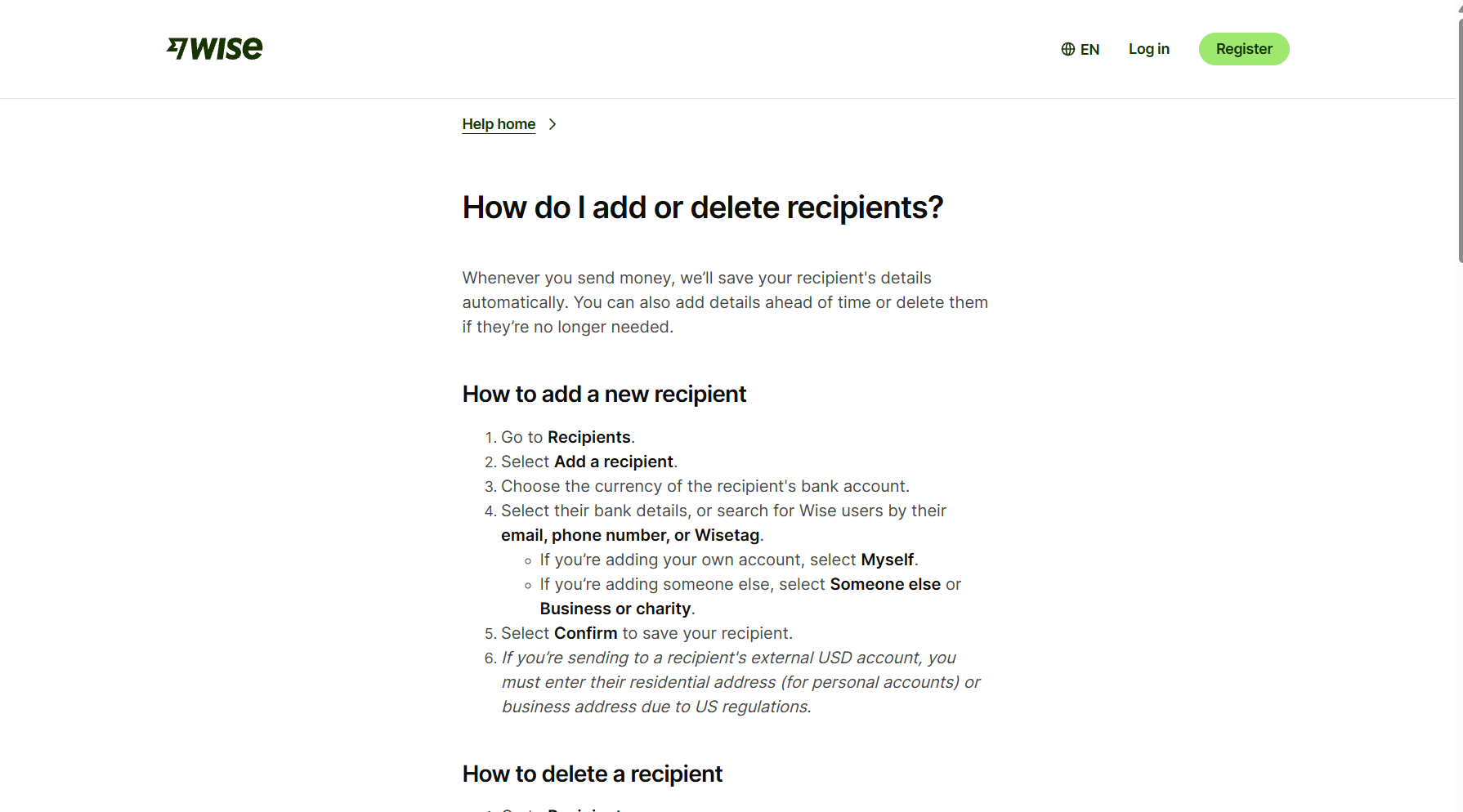
Before starting, ask the recipient for their full account-holder name, required bank details, and the current residential or business address appropriate to the account. Confirm spelling directly with them. Never use a search result about their bank as a substitute for their own details.
How to put a real address into separate fields
Keep the address's meaning intact when dividing it between boxes:
- Country: The country of the address being requested.
- Address line 1: Usually the building number and street, or a building name when that is how the address works.
- Address line 2: Apartment, unit, floor, or other necessary detail, when applicable.
- City or town: The relevant locality, following the provider's labels.
- State, province, or region: Use the actual administrative area if requested. Do not invent one for a country whose address does not use it that way.
- Postal or ZIP code: Preserve the correct letters, numbers, spaces, and leading zeros.
If there is no separate second line, keep necessary unit information in the available address field. If a mandatory field has no obvious equivalent, ask the provider how to complete it rather than entering a fabricated value.
US illustration: street number and directional suffix
The White House's official contact page publishes this public address:
1600 Pennsylvania Avenue NW
Washington, DC 20500
United States
In a typical split form, the street line is 1600 Pennsylvania Avenue NW, the city is Washington, the state or district is DC, and the ZIP code is 20500. Keep NW: it is part of the street address.
This is only a public formatting illustration. It is not a recipient's banking information. Do not enter it for an actual recipient. Use the recipient’s own verified address.
UK illustration: a building name without a street number
The Royal Household's official contact page gives:
Buckingham Palace
London SW1A 1AA
United Kingdom
Here, Buckingham Palace is the building-name address line, London is the city, and SW1A 1AA is the postcode. Do not invent a street number or add a county merely because another country's form usually includes them. Complete any optional region field according to the provider's instructions.
Again, this is a public formatting example, not usable recipient banking information. A valid UK address need not resemble the US example above.
When the original address uses a non-Latin script
First ask the recipient for the address they use in Latin letters, ideally checked against an official address source. Transliteration can help with spelling; it does not verify residence, account ownership, or whether the address meets a transfer provider's requirements.
Privacy first: Before using an external address converter, check its privacy practices. Avoid submitting names, account numbers, identity documents, or other banking information. For testing, use a public address rather than someone's private home.
For example, the English-language Addran converter converted the public Seoul City Hall address to:
110 Sejong-daero, Jung District, Seoul, South Korea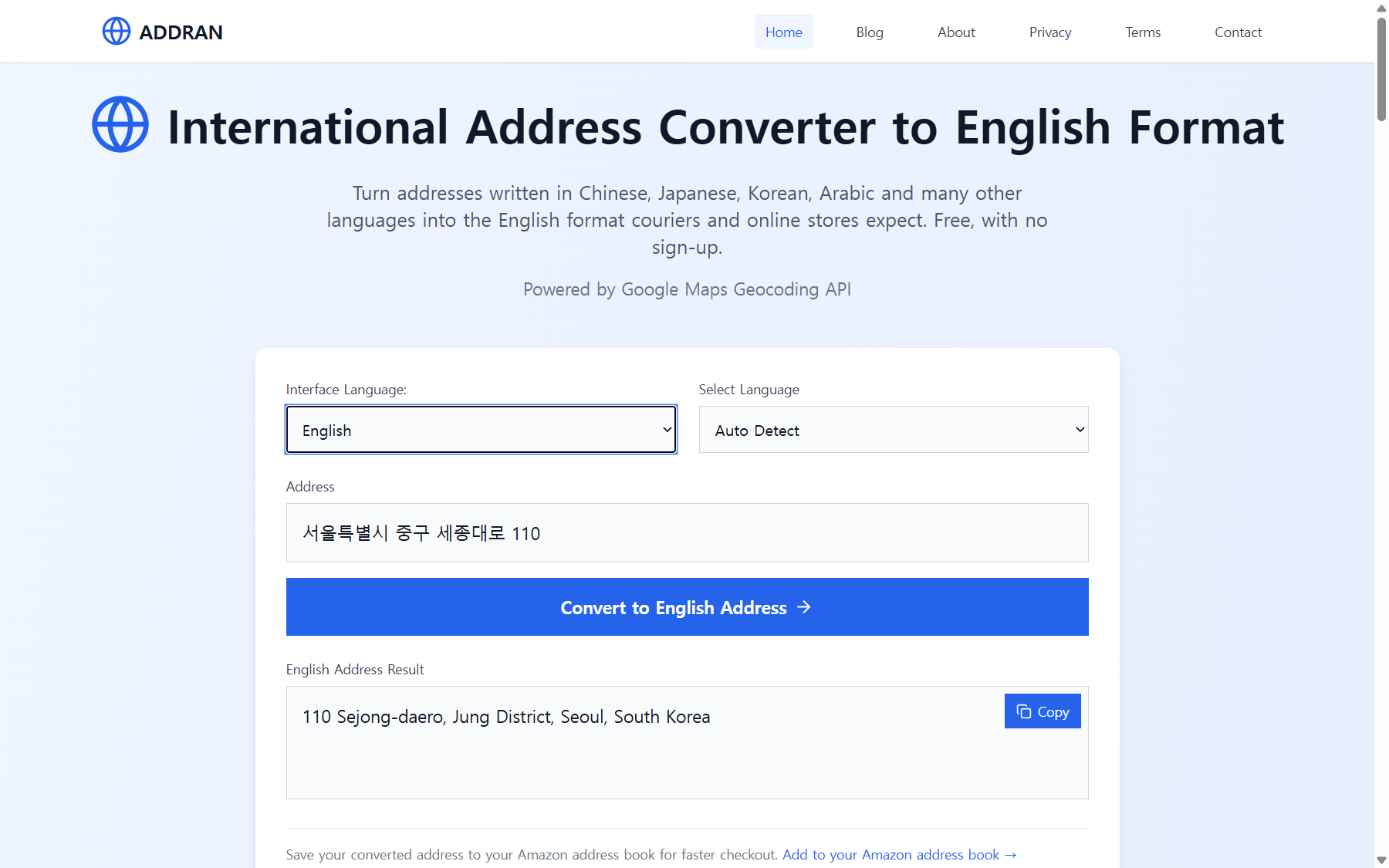
Compare that result with Seoul's official English directions, which use 110 Sejong-daero, Jung-gu, Seoul. The city's official location information provides postcode 04524.
The converter uses Jung District rather than Jung-gu and omits the postcode. That makes it a starting point to check, not a complete, authoritative banking address. For an actual recipient, confirm their preferred official spelling, postcode, and any apartment or unit details directly with them.
Check the quote separately from the address
You can inspect a public Wise quote before entering recipient details:
- Open the Wise homepage and find its transfer calculator.
- Choose your sending currency and the receiving currency. Select your actual pair, not automatically GBP and USD.
- Enter the amount you want to send, or the amount the recipient should receive if that option is available.
- Inspect the displayed fee, exchange rate, and recipient gets amount. Check the payment method and any timing estimate shown.
- Confirm availability and requirements for your residence and route before proceeding.
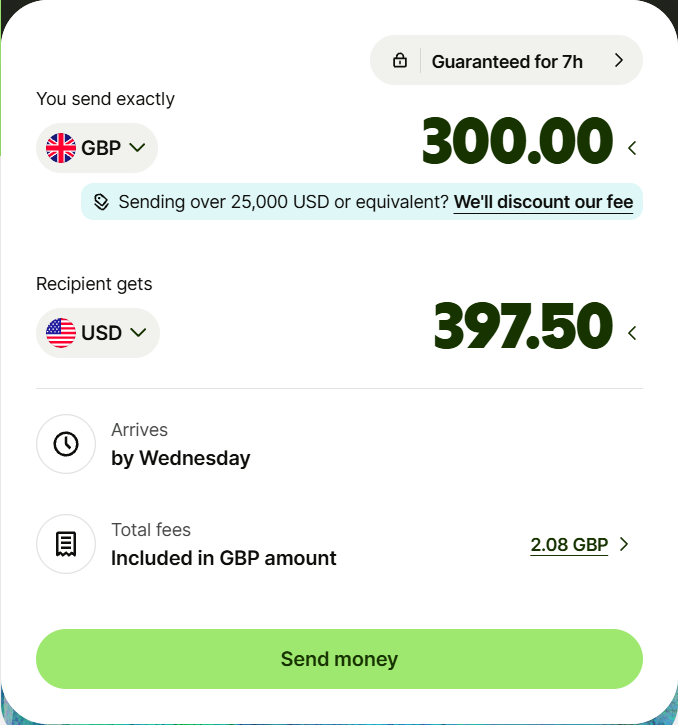
The screenshot illustrates a public calculator, not address entry. It does not establish your eligibility, guarantee the displayed price, or show that a transaction was completed. Fees, rates, methods, and estimates can change. Recheck the final quote before paying; do not assume any provider is always cheapest or fastest.
Affiliate disclosure: Addran may earn a commission if you complete an eligible transaction through the following link, at no additional cost for using the link. Wise did not commission or review this article.
Open the Wise homepage to check your own currencies and quote.
The link opens Wise's homepage, not a prefilled transfer route.
A short route-specific caution: South Korean won
An English interface does not make every funding method available. Wise's KRW guide supports transfers to eligible individual and business bank accounts in South Korea, not virtual accounts. PayGate verification may be needed, so the recipient should watch for instructions.
The same guide says you cannot fund Wise with KRW from an external bank or other external payment method. An existing balance in another currency can be converted to KRW. Check the guide for the requirements of your particular transfer.
Before you confirm
Check the recipient type, legal name, account details, address country, postcode, and unit information with the recipient. Make sure you have not entered a bank address where a residential address was requested. Review the final fee and recipient amount separately.
A correctly formatted address is useful, but it is not a substitute for verified recipient details.
Read the Korean-language guide if you prefer Korean.
Sources
- Wise: Adding and deleting recipients
- Wise: Guide to KRW transfers
- White House: Contact
- Royal Household: Contact
- Seoul: City Hall directions
- Seoul: City Hall location
Need to convert an address?
Use Free Address Conversion Tool